FanCode's search was leaking users — slow to surface relevant content, easy to abandon. I audited it end to end and rebuilt it around how fans really search for sport: short names, sponsors, and the fastest path to a match, stat or video.
Search is how fans cut straight to what they want — a match, a player, a highlight. FanCode's existing search was marked by inefficiencies and user dissatisfaction: people struggled to find relevant content quickly, which drove search abandonment and weak engagement with the end-points (Matches, Stats, Videos and more). I ran an in-depth audit of the experience and proposed a redesign that addressed the problems I found.
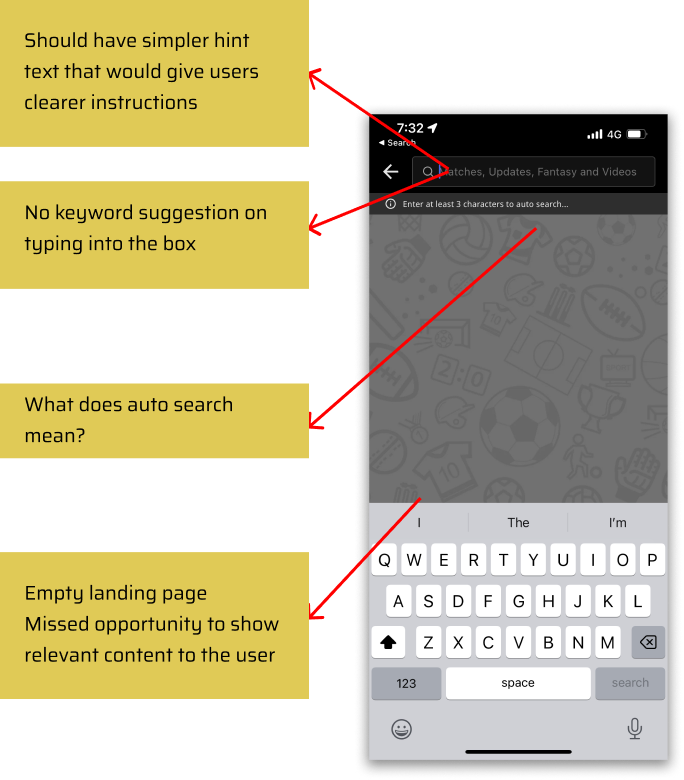
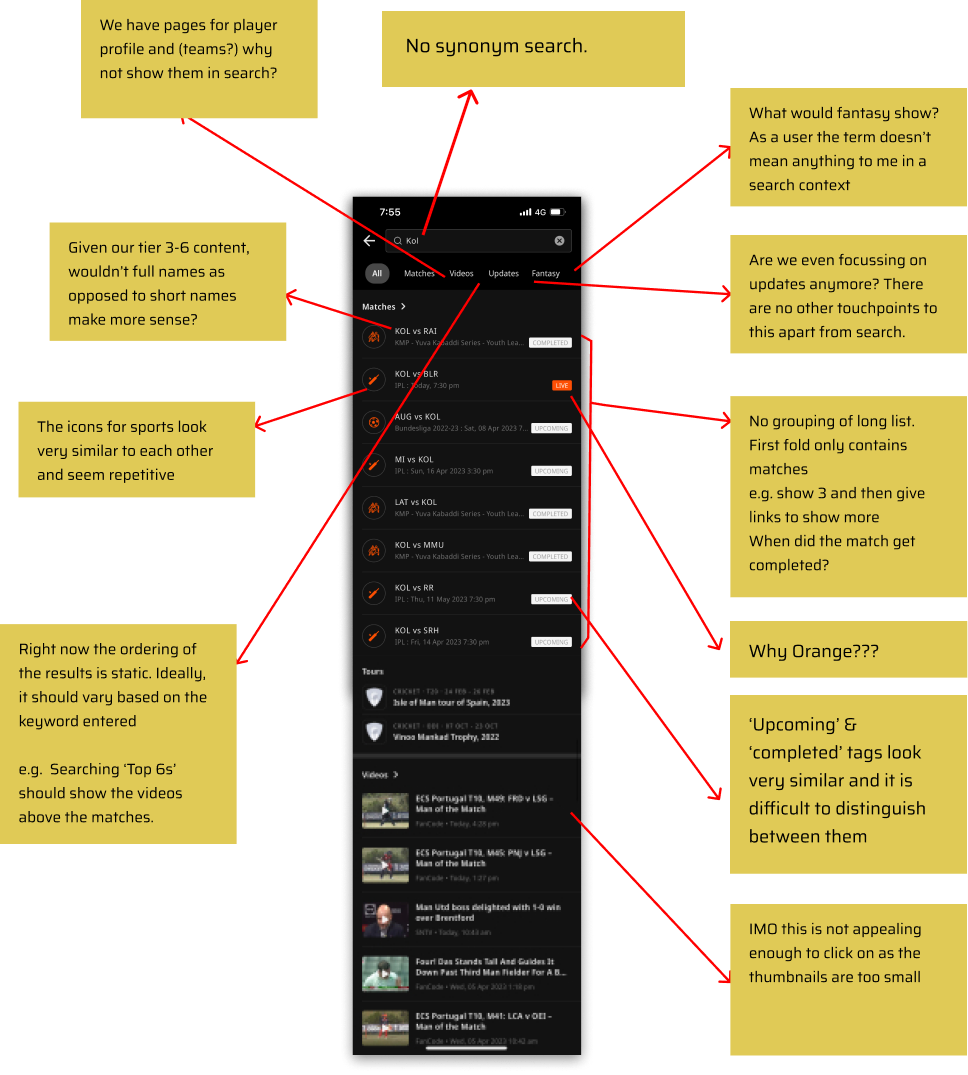
Before designing anything new, I picked the existing search experience apart heuristically — annotating every point of friction across the empty landing state, the keyboard, the autosearch behaviour and the way results were ordered and styled.
A blank landing page — a missed opportunity to surface relevant content the moment search opened.
No suggested autofill and unclear "autosearch" behaviour left users guessing.
Confusing result ordering & styling drove abandonment before fans reached an end-point.
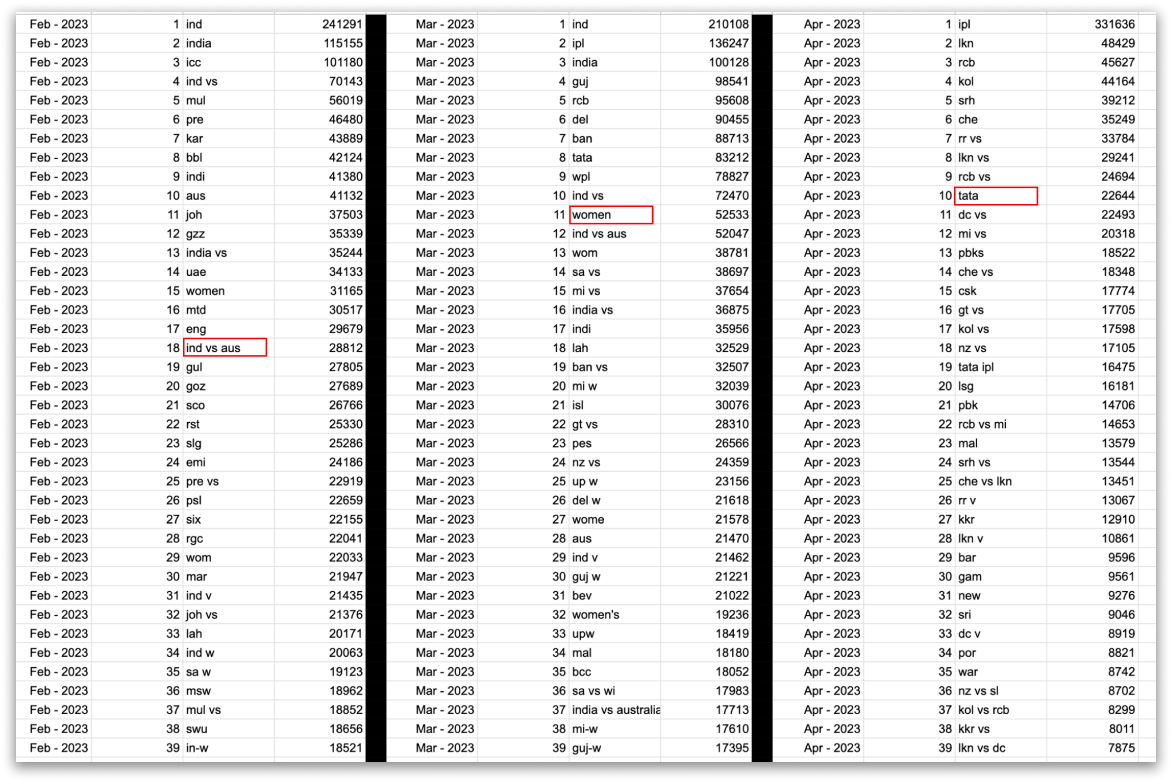
I analysed the top search queries over six months, alongside the click-through rates on their results. Two behaviours stood out and shaped the whole design — fans don't type the way the old search expected them to.
Even for niche leagues, users prefer searching by short names and abbreviations — not the full official title. The index had to understand the shorthand.
Fans even search popular leagues by their title sponsor. Search had to map sponsor names to the tournaments fans actually meant.
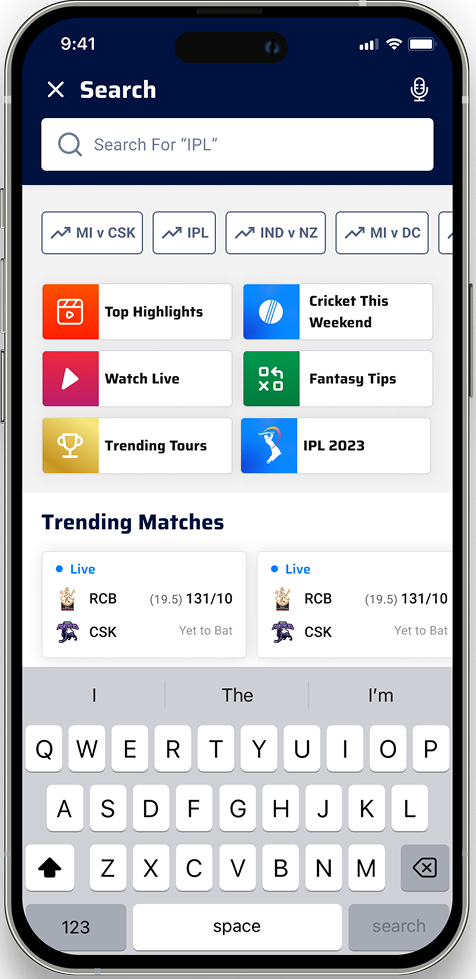
The biggest waste was the empty state. The new search landing surfaces useful content the instant it opens — and the keyboard comes up immediately, so fans can type or tap straight away.

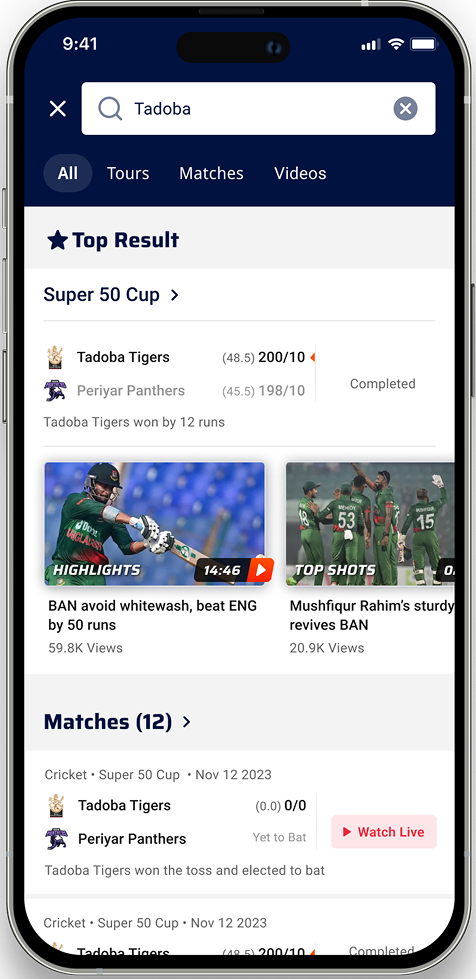
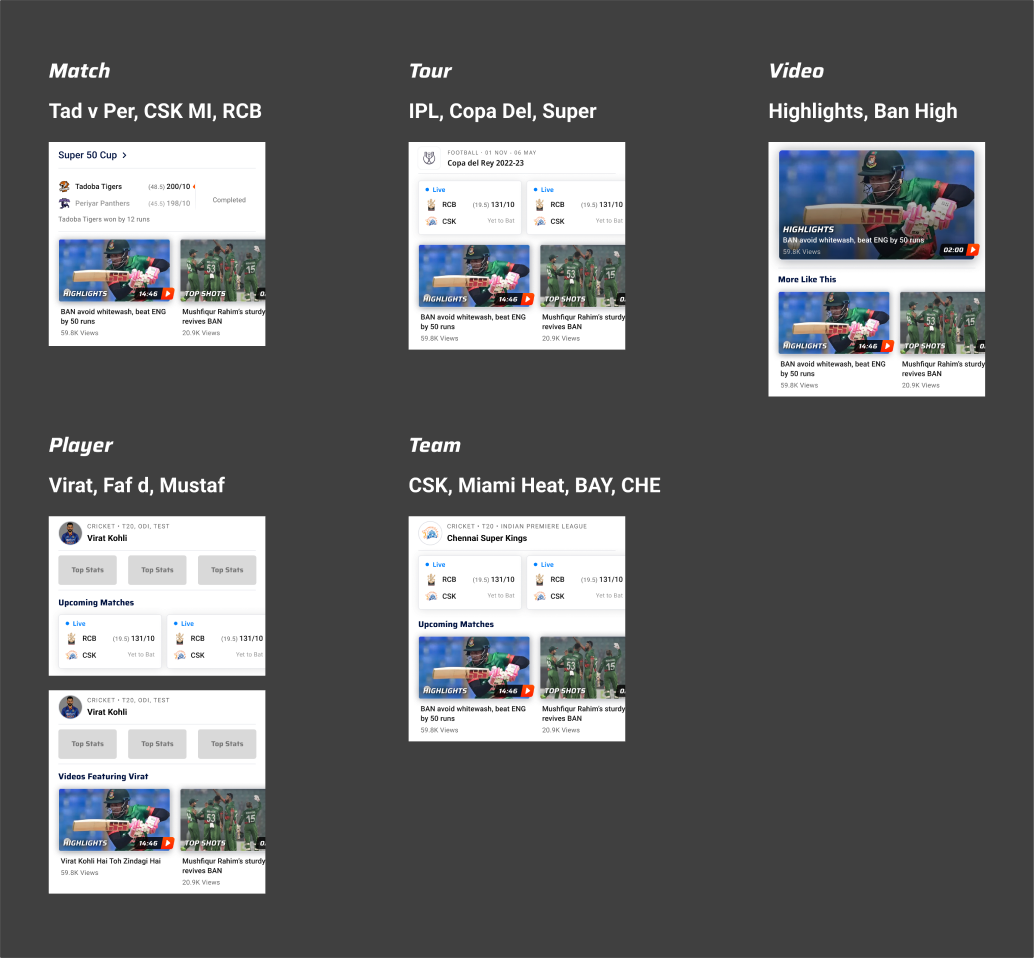
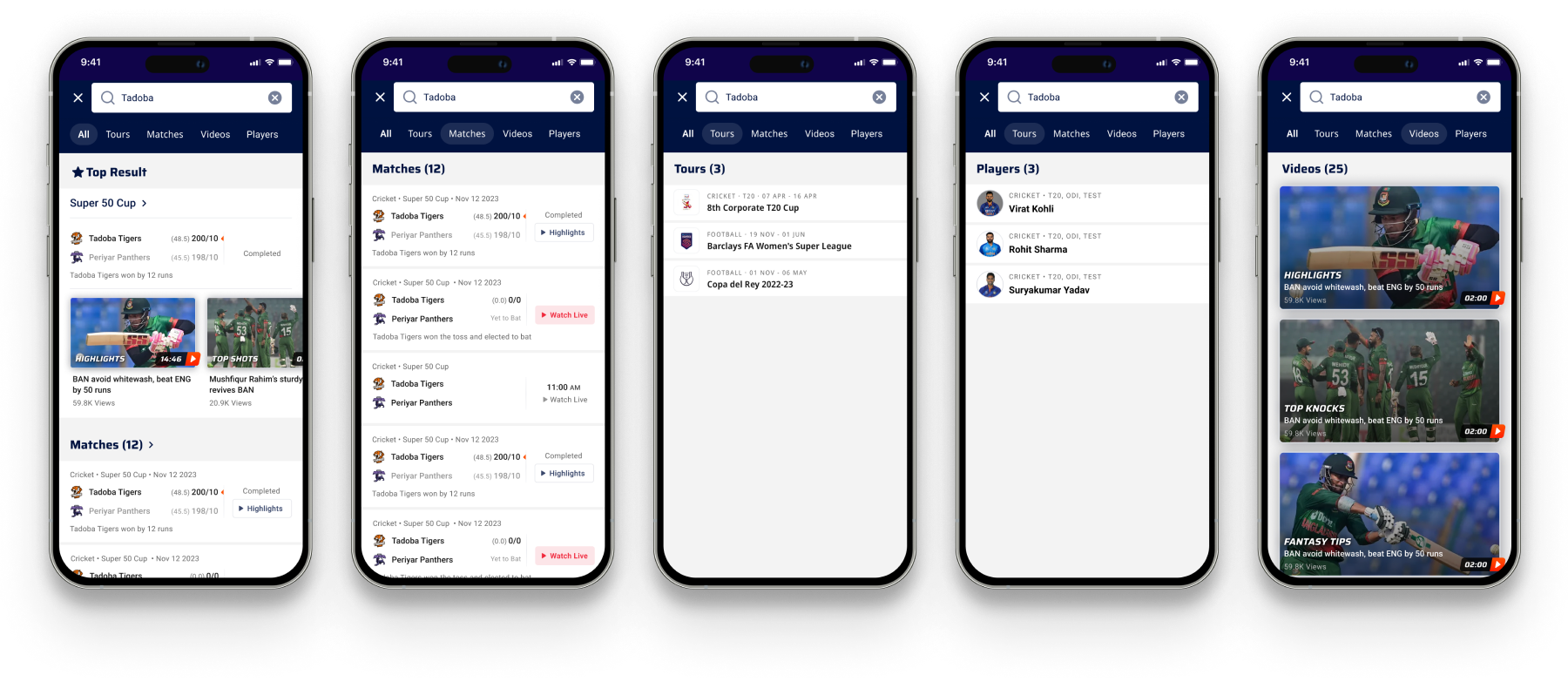
I introduced a hybrid section at the top of the results, built from the search query. It elevates the experience by showing a curated mix of videos, matches, tours and player information — a comprehensive snapshot of the content fans are interested in, making discovery faster and more efficient.
Below the rich snapshot, results break out into clean, scannable tabs — Top Result, Matches, Tours, Players and Videos — so fans can drill into exactly the kind of thing they were after.
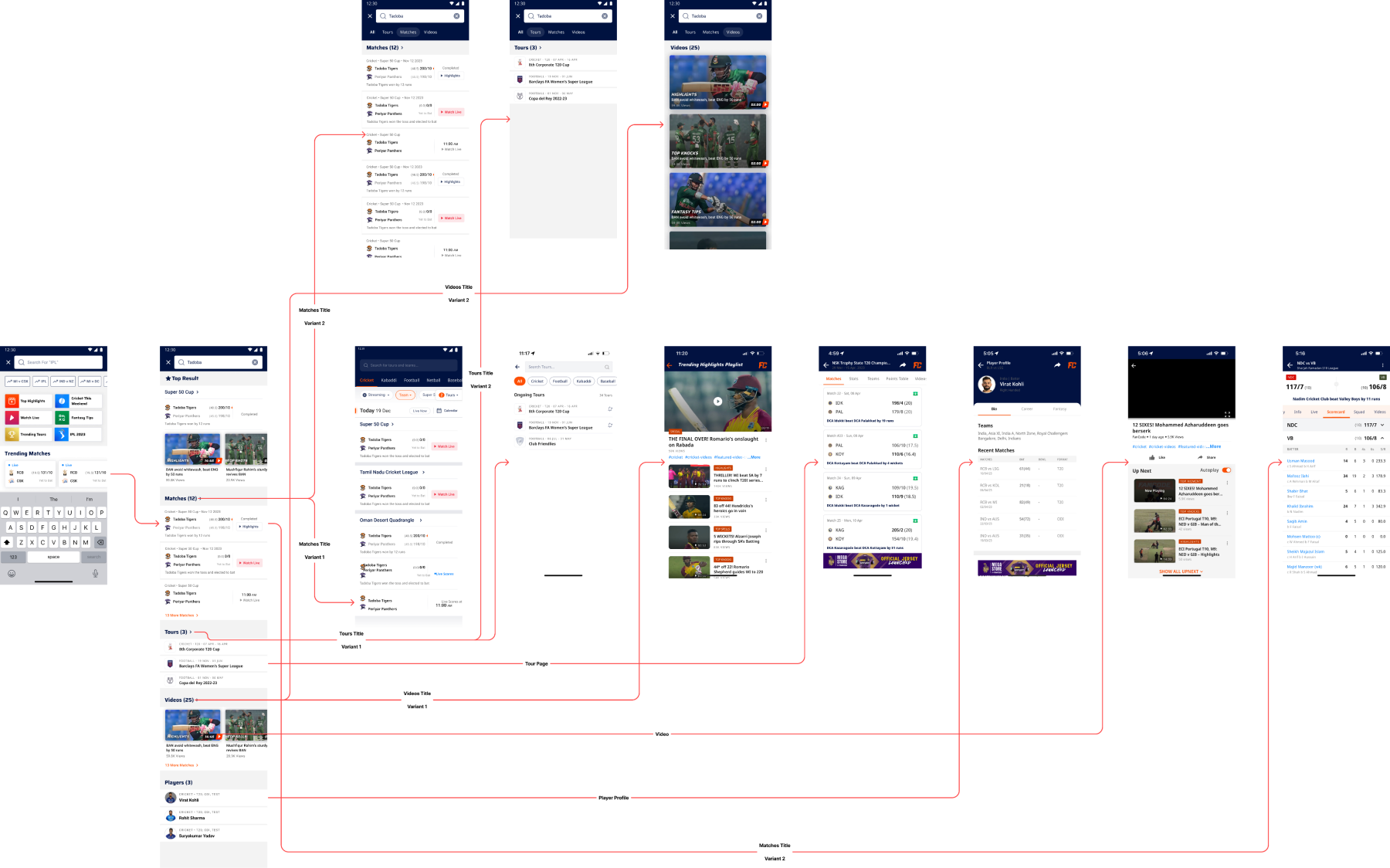
Search touches the whole app, so I mapped every route in and out — from a query to a match page, a player profile, a video or a tour — to make sure no path was a dead end.
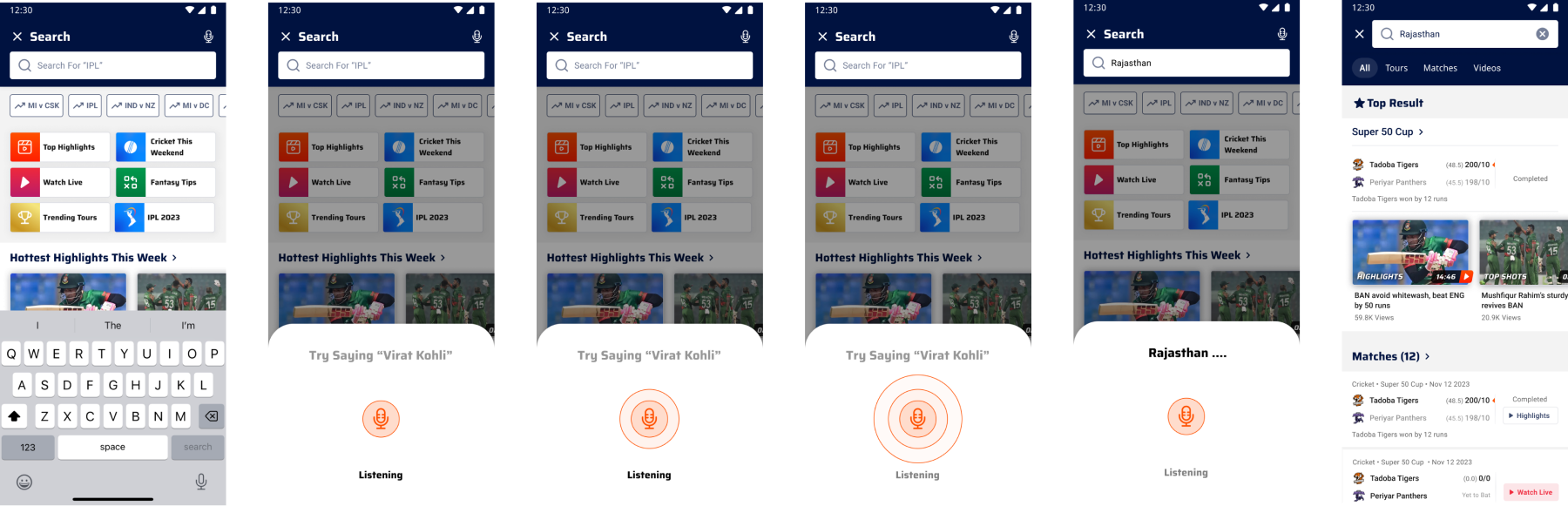
Fans are often watching one screen and searching on another. Voice search adds a faster, hands-free path — a clear "try saying…" prompt, an obvious listening state, and a smooth hand-off straight into results.
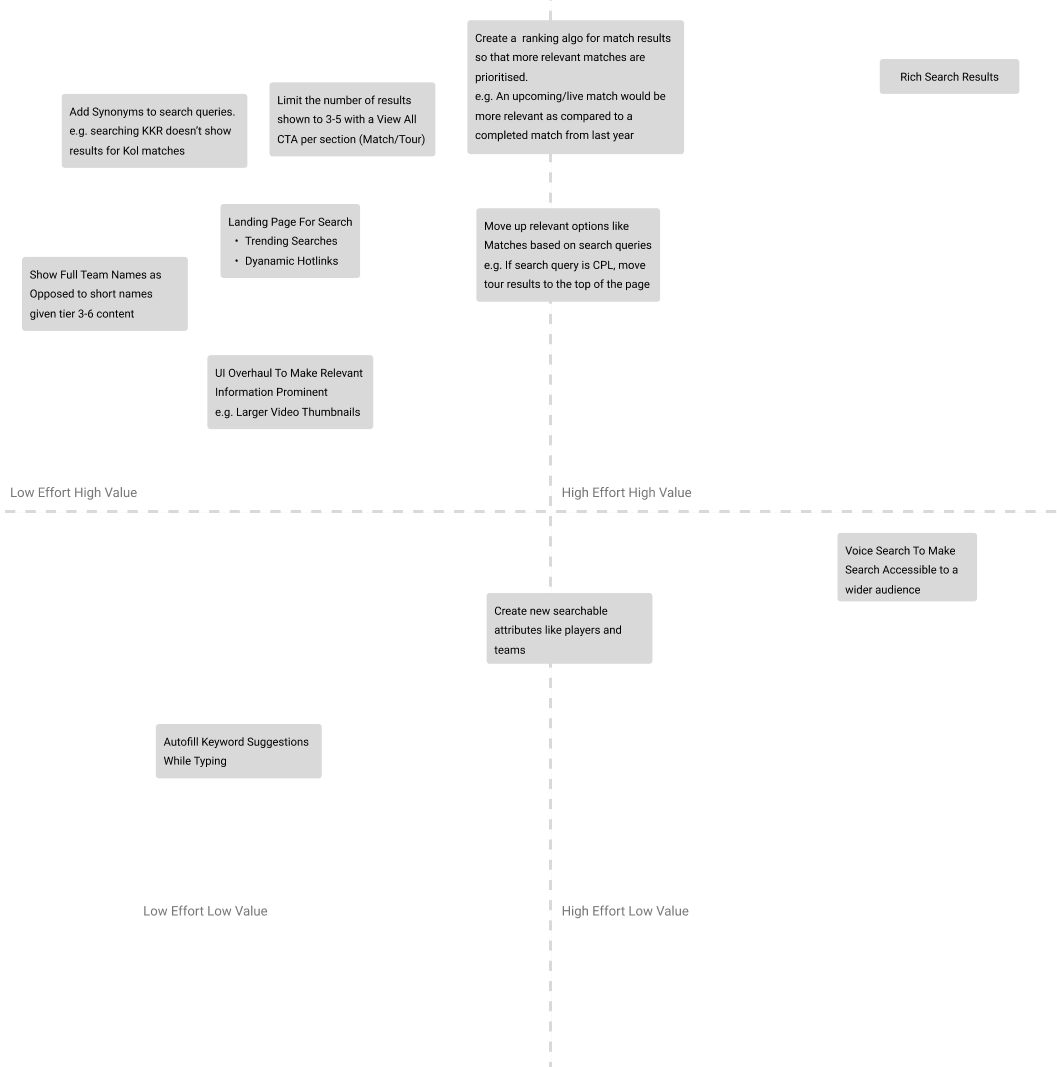
Not everything could ship at once. I plotted each feature on a user-value × effort matrix to decide what to build first — high-value, low-effort wins (like the populated landing page) led the way, with heavier bets sequenced behind them.
Search is a behaviour, not a box. The query data — short names, sponsors — mattered more than any visual. Designing around how fans actually type is what made it work.
The empty state is prime real estate. Turning a blank landing page into trending content and hotlinks recovered fans before they ever typed.
Audit first, design second. A rigorous heuristic teardown gave the redesign a clear, defensible list of problems to solve.